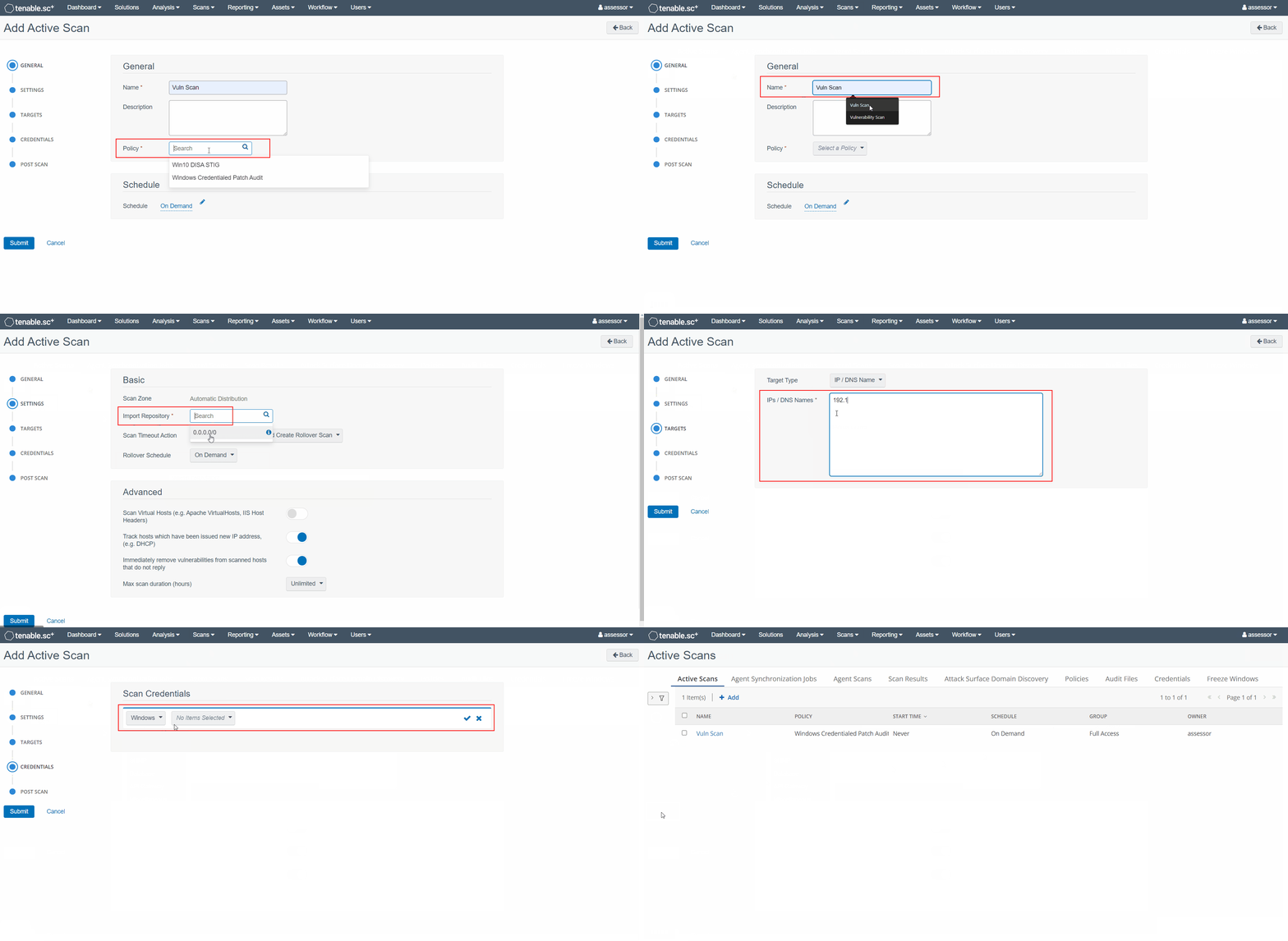
3. Creating Scan Templates
-
From the top menu bar navigate to
Scans -> Active Scansand click +Add -
From the Add Active Scan page:
-
Under the General tab:
a) Enter a Name for the scan template
b) Select the scan Policy you want to run -
Under the Settings tab, set the Import Repository to
0.0.0.0/0 -
Under the Targets tab:
a) Set the Target Type toIP / DNS Name
b) Populate IPs / DNS Names with the IPs/hostnames you wish to scan -
Under the Credentials tab, click +Add Credential to add each credential set that will be needed to authenticate with each of the targets
-
-
Click Submit to complete the configuration